
How to Declutter and Organize Your Home Office
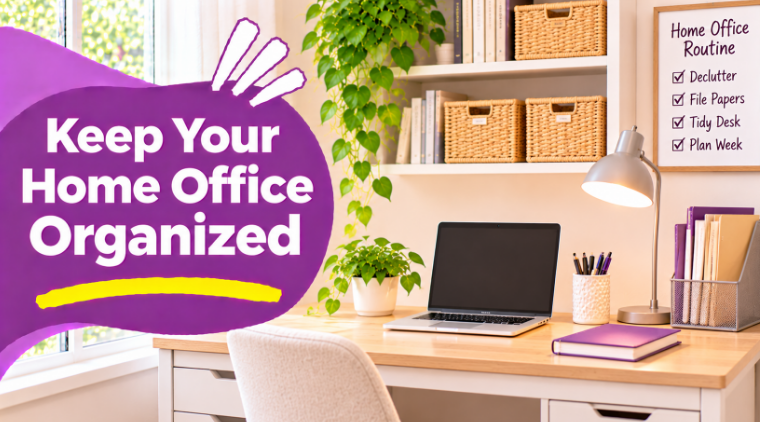
A home office does not have to be a separate room to become a comfortable place to work, study, or manage everyday tasks. Sometimes, all you need is a desk in the corner of a bedroom or a small area near a window.
The problem is that these spaces can quickly become crowded. Papers pile up, pens disappear into drawers, charging cables get tangled, and things that have nothing to do with work slowly take over the desk.
The good news is that you do not need an expensive office makeover to improve the space. A little decluttering, a practical storage system, and a few simple habits can make your home office easier to use.
Here are some realistic ways to create a workspace that feels organized without making it complicated.
1. Clear Your Desk Before Buying Organizers
Start by removing everything from your desk, except the equipment you need to work comfortably.
Look at each item and decide whether it belongs in your workspace.
You might find:
- Old notebooks and loose papers
- Pens and office supplies you rarely use
- Empty packaging
- Unnecessary decorations
- Chargers and cables
- Personal belongings that belong somewhere else
Separate useful items from things that can be relocated, recycled, or discarded appropriately.
Do not rush to throw away papers or documents. Set aside anything important until you have checked what it contains and whether it needs to be kept.
Once the desk is clear, you will have a better idea of how much storage you actually need.
2. Create Separate Areas for Different Tasks
Even a small desk can feel more organized when different activities have designated areas.
For example, you could create three simple zones:
Computer area: Keep your laptop, keyboard, mouse, and frequently used accessories together.
Writing area: Reserve a section for notebooks, pens, and documents you are currently using.
Storage area: Use a drawer, shelf, or small organizer for supplies that you do not need constantly.
If your desk is particularly small, you can use one area for multiple activities. The important thing is to avoid allowing unrelated belongings to spread across the entire surface.
3. Organize Papers With a Simple Filing System
Paper clutter is one of the easiest things to overlook in a home office. Receipts, notes, printed documents, and old school or household papers can accumulate until it becomes difficult to find anything.
Instead of keeping everything in one pile, create a few basic categories:
- Action: Papers that need attention.
- Reference: Documents you may need to consult again.
- Archive: Important records that need to be kept.
- Recycle: Papers that are no longer useful and can be recycled safely.
A small file organizer or a few labeled folders may be enough.
Review the action folder regularly so papers do not remain there indefinitely. Keep personal and sensitive documents in a secure location rather than leaving them on an open desk.
4. Keep Office Supplies Together
Pens, sticky notes, scissors, paper clips, and other small supplies can easily disappear into different drawers.
Choose one organizer or container for the items you use most often.
You could arrange supplies into categories such as:
- Writing tools
- Paper accessories
- Notebooks
- Charging accessories
- Frequently used stationery
Avoid keeping several duplicates if you rarely need them. Store backup supplies elsewhere so your main desk remains practical.
Before purchasing a new organizer, check whether an unused container or drawer could already do the job.
5. Find a Better Way to Manage Cables
Charging cables and electronic accessories can make even a tidy desk look messy.
Start by identifying which cables belong to the equipment you currently use. Remove unrelated accessories and return them to their appropriate storage locations.
A few practical solutions include:
- Cable clips designed for desks
- Reusable cable ties
- A designated drawer for spare accessories
- A suitable charging station
- Labels to identify similar cables
Keep cables arranged without pulling them tightly or interfering with electrical connections. Make sure ventilation openings on electronic equipment remain unobstructed.
The goal is to make cables easier to identify and manage, not to hide them in places where they cannot be accessed safely.
6. Make Your Workspace Comfortable
An organized home office should also be comfortable to use.
Think about the position of your screen, chair, keyboard, and other frequently used items. If you constantly have to reach across the desk or look down at a screen, your arrangement may need adjusting.
The University of Pennsylvania's Home Office Ergonomics guide recommends keeping the body in a comfortable, neutral position and arranging equipment to reduce awkward reaching and bending.
Depending on your setup, you might:
- Place your screen directly in front of you.
- Keep frequently used accessories within comfortable reach.
- Use a chair that provides suitable back support.
- Adjust the screen height when possible.
- Keep enough clear space for your legs.
You do not need specialized furniture to make every improvement. Sometimes rearranging the equipment you already own can make the workspace more practical.
7. Use Shelves Without Overcrowding Them
If your desk has limited storage, nearby shelves can provide additional room for notebooks, reference materials, and office accessories.
However, avoid treating shelves as a place to store everything you do not want on the desk.
Group similar items together and keep frequently used materials easy to reach.
For example:
- One basket for notebooks
- A folder holder for current documents
- A shelf for reference books
- A small container for backup supplies
Leave some open space so you can easily remove and return belongings.
8. Create a Five-Minute End-of-Day Reset
One of the easiest ways to keep a home office organized is to finish each work or study session with a quick reset.
Before leaving the desk, try these simple steps:
- Return pens and supplies to their containers.
- Put away documents you have finished using.
- Place unfinished papers in the action folder.
- Return cables and accessories to their designated places.
- Clear unnecessary items from the desk.
- Leave the workspace ready for the next session.
You do not need to deep-clean the entire room. The purpose is simply to avoid starting your next session with yesterday's clutter.
9. Review Your Workspace Once a Week
Even with a daily reset, some items may gradually accumulate.
Choose one day each week to review a drawer, shelf, or folder.
Check whether:
- Supplies are running low.
- Unnecessary papers have accumulated.
- Documents are stored in the right categories.
- Cables and accessories are still organized.
- The desk has enough clear working space.
Make small adjustments instead of reorganizing everything from scratch.
The CDC's Working From Home guide also highlights the value of creating a suitable workspace, maintaining a routine, and taking regular breaks from prolonged screen use.
Final Thoughts
A well-organized home office is not about having a large desk or buying matching storage accessories. It is about creating a space where you can find what you need, work comfortably, and put things away without much effort.
Start by clearing the desk, grouping supplies, organizing important papers, and choosing a simple end-of-day routine.
Make adjustments as you discover what works best for your space. With a few practical habits, even a small home office can become a more comfortable and functional part of your home.
Leave a Reply